FVG Screener

$0
Type: Utilities
Seller: Konstantinos Kalaitzidis
Published: 8 May 2024
Updated:
Version: 1.83
Downloads: 3900





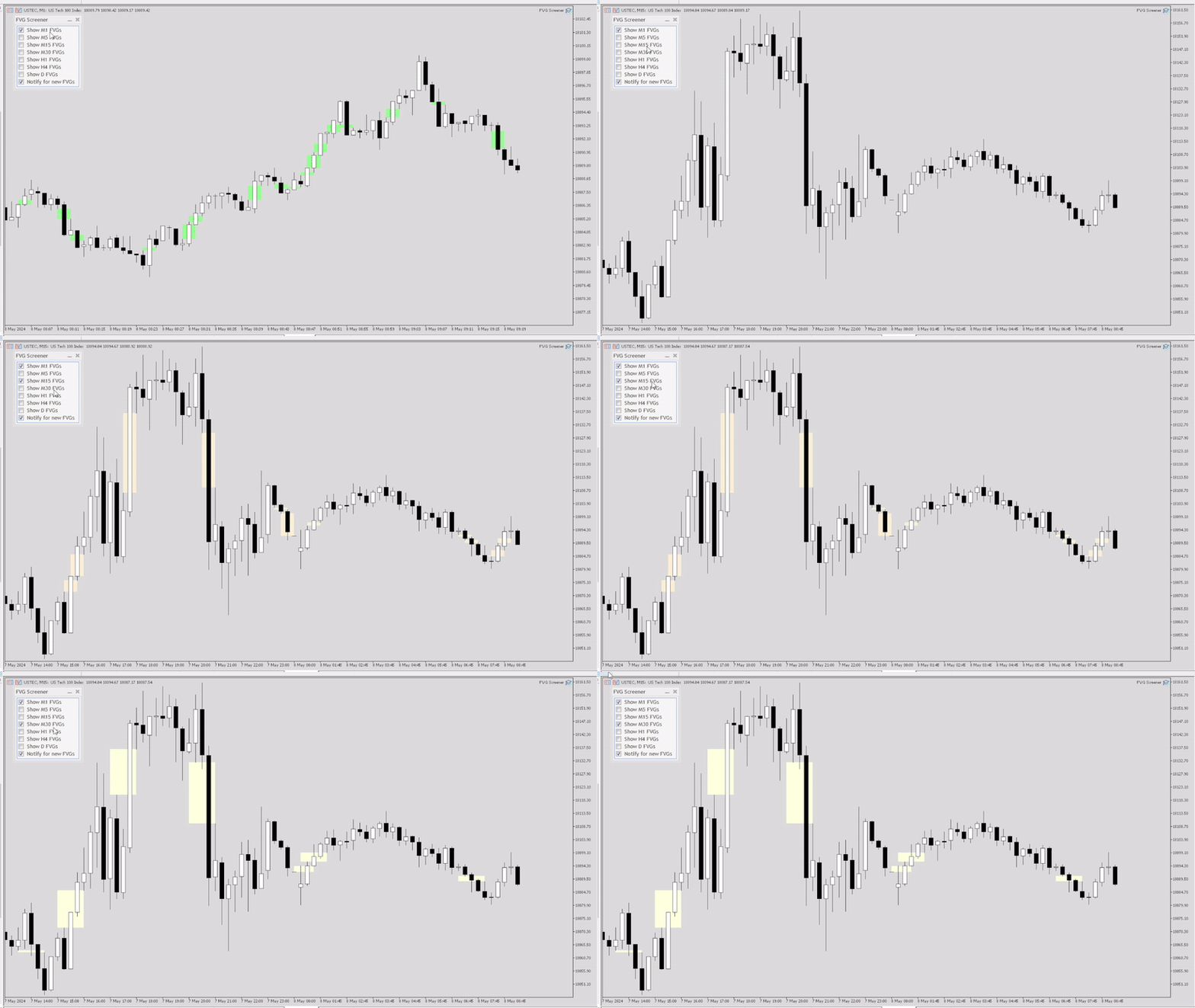
The "FVG Screener" is a FREE utility tool designed to identify and alert on "fair value gaps" (FVGs), a concept popularized by ICT. This EA is intended to be used by traders who use fair value gaps in their trading. The panel provides a simple and intuitive interface for selecting the desired timeframes, enabling traders to focus on specific timeframes regardless of the timeframe that their chart is on.
The EA scans the market for imbalances or FVGs, which are essentially discrepancies between the current market price of a currency pair and its calculated fair value. Once an FVG is detected, the EA draws the level on the chart for visualization purposes. WIth the speed of a click, the user can show/hide any specific timeframe's FVG, making it an invaluable tool for traders who see efficiency in their charting.
There's a PRO version of this tool, which allows quick trading executions with in-built buttons and features! You can check it by clicking .
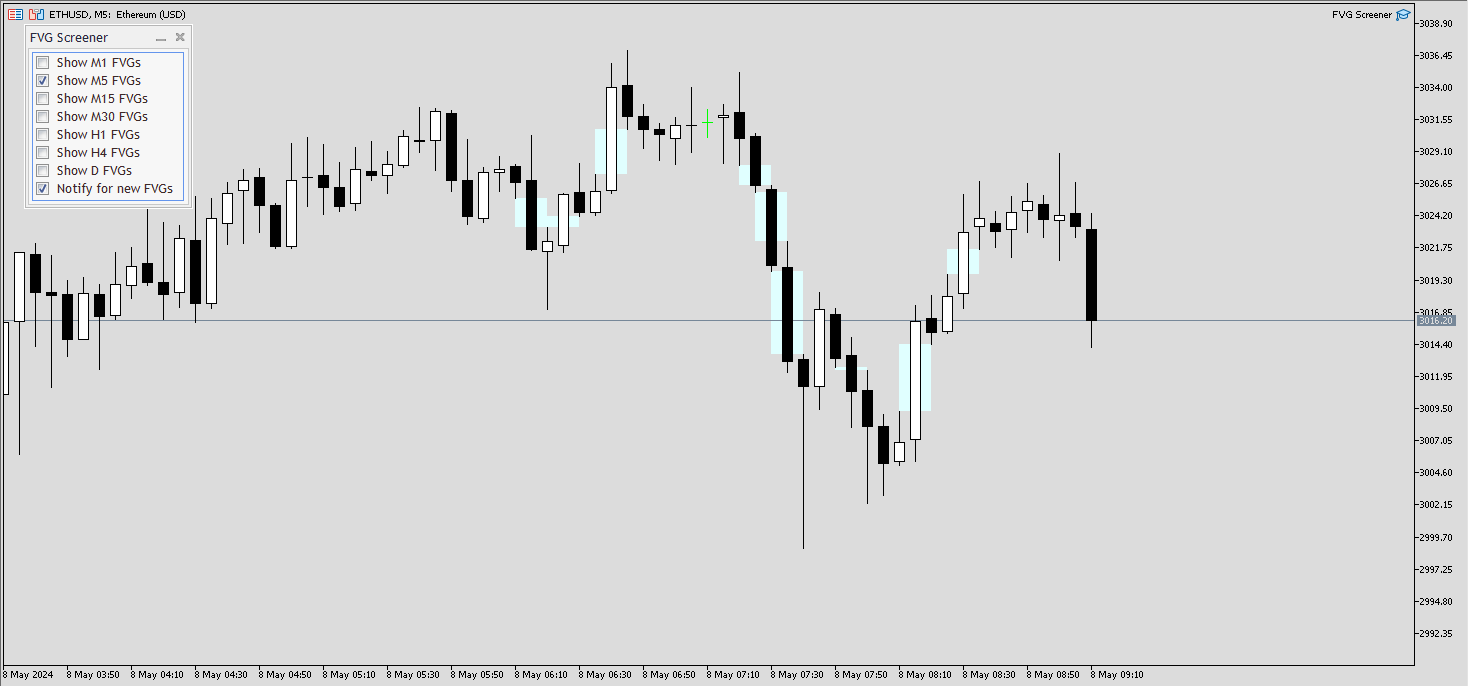
Let's go through the Trade Panel that appears on the top left corner of the chart, once you place the EA on the Symbol you want to use it on:
- Show M1 FVGs: If clicked, it'll instantly show all past M1 Fair Value Gaps, and will draw any new one as time goes on.
- Show M5 FVGs: If clicked, it'll instantly show all past M5 Fair Value Gaps, and will draw any new one as time goes on.
- Show M15 FVGs: If clicked, it'll instantly show all past M15 Fair Value Gaps, and will draw any new one as time goes on.
- Show M30 FVGs: If clicked, it'll instantly show all past M30 Fair Value Gaps, and will draw any new one as time goes on.
- Show H1 FVGs: If clicked, it'll instantly show all past H1 Fair Value Gaps, and will draw any new one as time goes on.
- Show H4 FVGs: If clicked, it'll instantly show all past H4 Fair Value Gaps, and will draw any new one as time goes on.
- Show D FVGs: If clicked, it'll instantly show all past Daily Fair Value Gaps, and will draw any new one as time goes on.
- Notify for new FVGs: If clicked, the EA will alert or send notification to the user (based on the input parameters that is explained below) for every new FVG (it clarifies whether it's a bullish or bearish FVG) of the SELECTED timeframes only!
In example, if you've only clicked to show M1 and M5 FVGs, the notifications for new FVGs will only apply to new M1 and M5 Fair Value Gaps
Input Parameters:
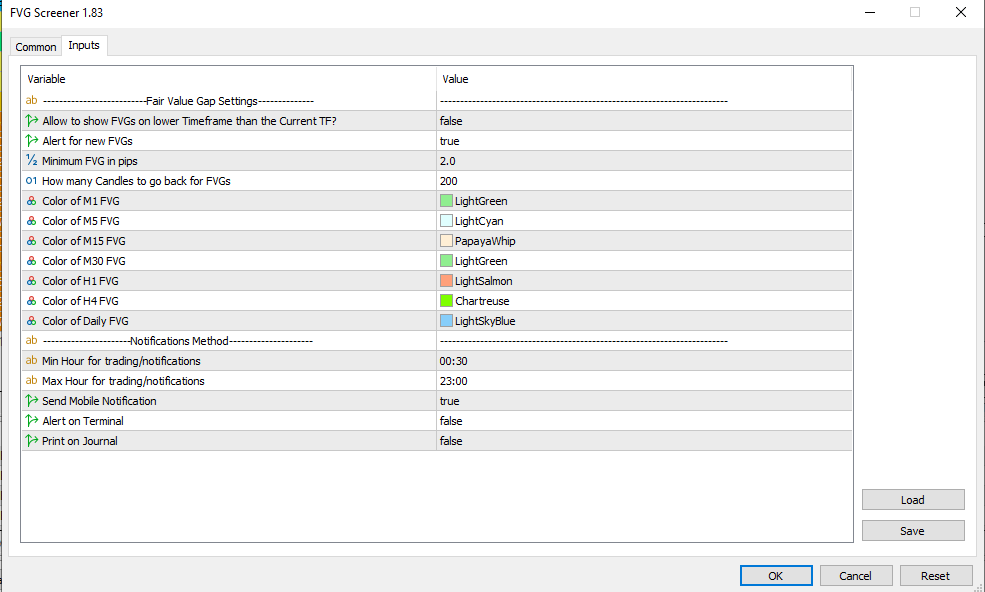
--------------------------Fair Value Gap Settings---------------------------
- Allow to show FVGs on lower Timeframe than the Current TF?: True/False (double click to change its value). If "true", the EA will not show FVGs that are in a LOWER timeframe then the current chart's timeframe. In example, if your chart is on M15 timeframe, even if you have clicked to show M1 FVGs, it won't show them while this input parameter is set to "true".
- Alert for new FVGs: True/False. If true, it'll notify the user based on his preferences of notification method (explained below)
- Minimum FVG in pips: Here, you type a number to filter out tiny FVGs that are not important to you.
- How many Candles to go back for FVGs: Type the number of how many candles it'll go back to draw past FVGs. It's at 200 by default.
- Color of M1 FVG: Color of the M1 FVG. Double click on the color to change it. Select any desired color from the palette.
- Color of M5 FVG: Same as above
- Color of M15 FVG: Same as above
- Color of M30 FVG: Same as above
- Color of H1 FVG: Same as above
- Color of H4 FVG: Same as above
- Color of Daily FVG: Same as above
- Starting Hour for Notifications: In case you want the notifications to only be sent in a desired time window (i.e. in AM Session Silver Bullet which is 17:00 to 18:00), you type the starting hour of that window. (00:00 format)
- Ending Hour for Notifications: Here, you type the ending hour of that window. (00:00 format)
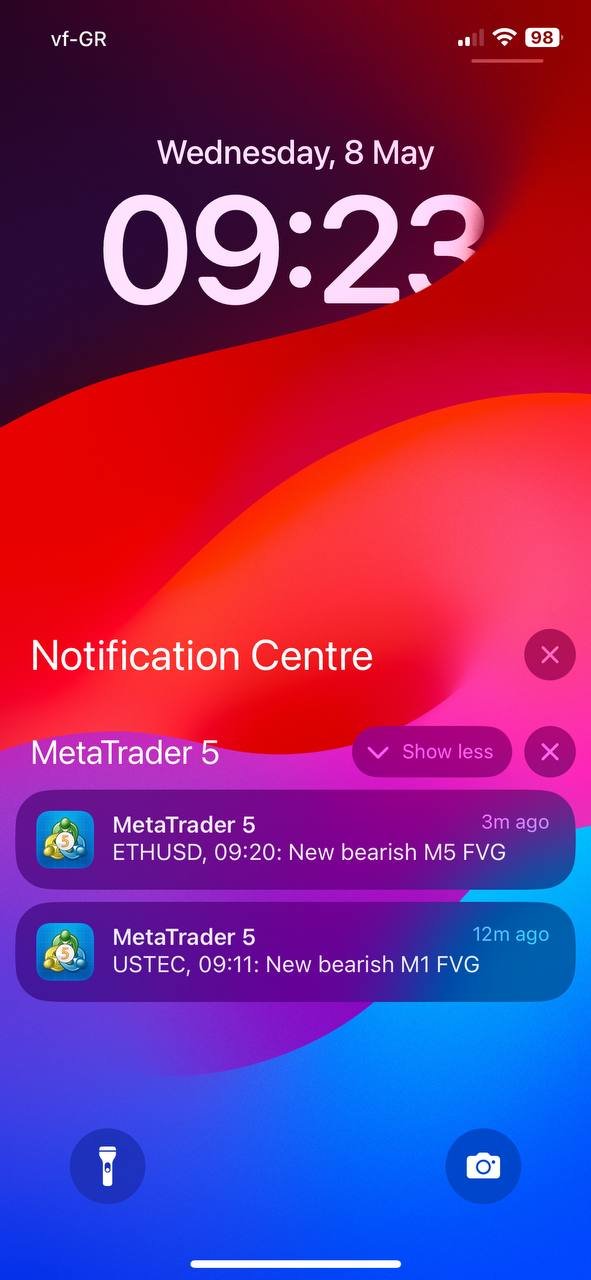
- Send Mobile Notification: If "true", the EA will notify you through your Mobile MT5 app. Make sure you've connected it with your computer's terminal. (I have attached a screenshot of a test notification, for illustration purposes)
- Alert on Terminal: If "true", the EA will send alerts in a new window when new patterns form, or when there's an error with a trade order.
- Print on Journal: If "true", the EA will print in the Journal tab of the terminal. It's the lowest form of communication between the user and the EA.
Important Note:
-This tool only works on the attached symbol.
-The drawn FVG boxes are not extended to the right, in order to keep the chart clean and easy to read.
-The EA doesn't execute/modify trades, so there's no need to have "Algo Trading" enabled in the EA's settings
You can check my for the full list of Metatrader tools I provide.