Grid Hlevel MT5
$0
Type: Experts
Seller: Sergey Ermolov
Published: 10 April 2023
Updated: 5 September 2023
Version: 1.15
Downloads: 500





| |
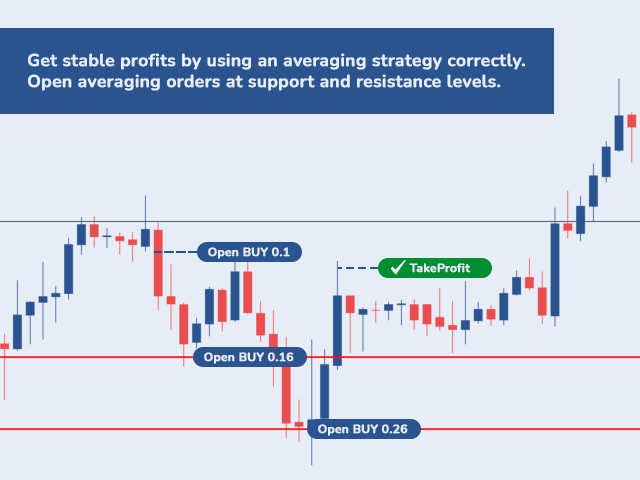
The Grid HLevel Expert Advisor is perfect for those traders who want to make a stable profit in the Forex market every month. The Expert Advisor works according to the averaging strategy and I suggest you to use it correctly.
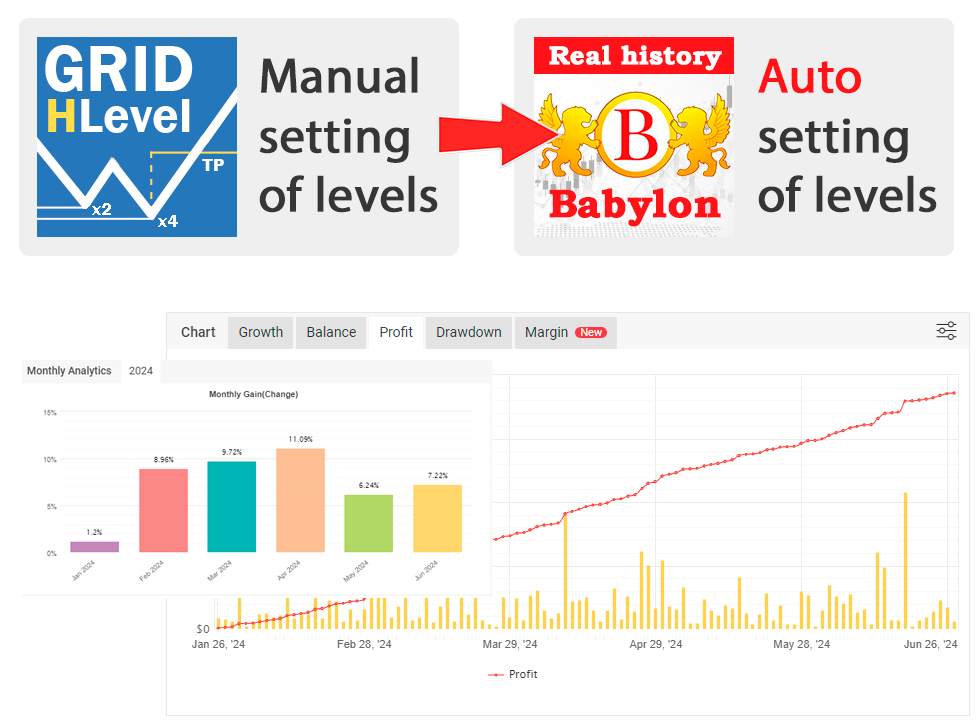
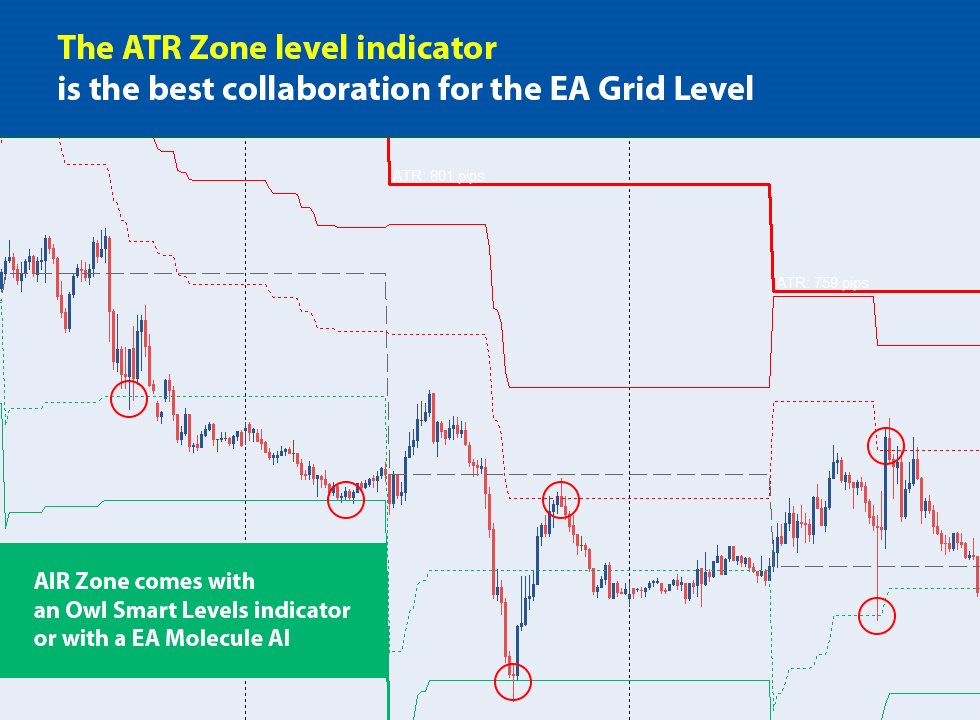
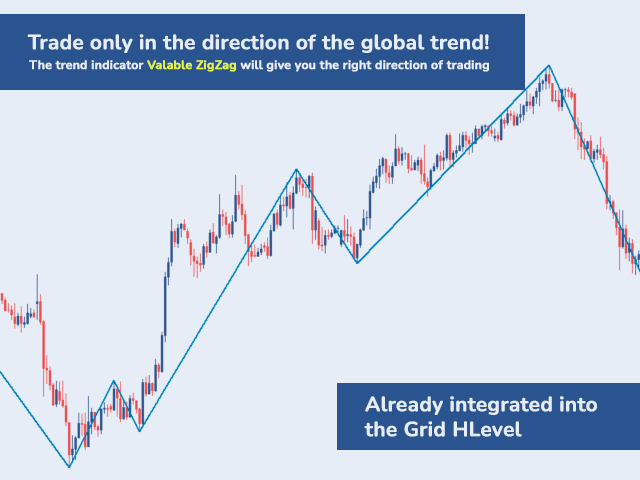
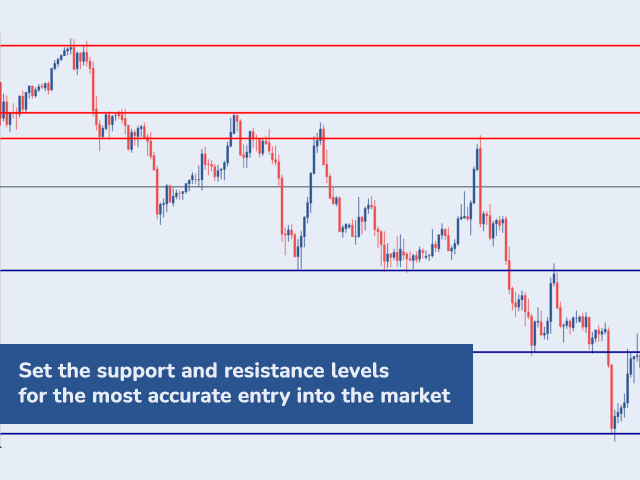
To use it "correctly" means to open trades with averaging in the reversal point of the market and trade only in the direction of a global trend. As for the direction of the main trend, I suggest to determine it by the indicator Valable ZigZag on the timeframe H4. It is more difficult to determine the levels, where the market can change, by the indicator, so I suggest the trader to set them manually on the chart in order to enter the market more accurately using orders of averaging.
Telegram chat: @it_trader_chat
The new Expert Advisor Prop Master - test it in your trading terminal
So, I would like to present you the Grid HLevel Expert Advisor - an Expert Advisor that trades at manually set levels of support and resistance.
ATTENTION!!! The Grid HLevel EA is not fully automatic, but rather semi-automatic. So do not expect that you put it on your account and do nothing, once a day you will have to set new levels for its correct operation.
How to use the Expert Advisor?
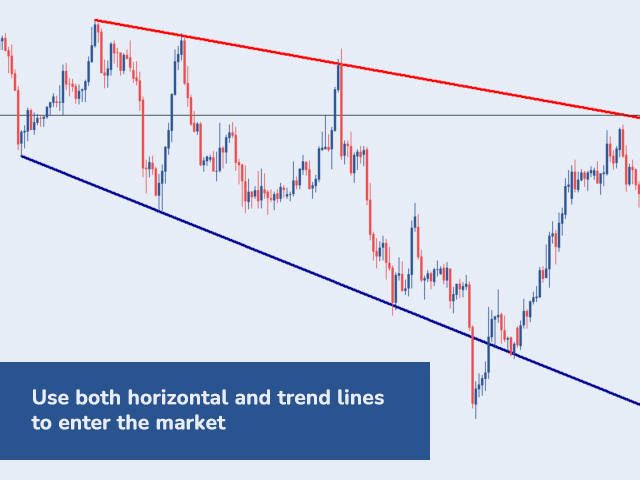
First, we set the Expert Advisor on the chart and specify the initial parameters of capital management, trading directions and the initial strategy for opening orders. Next, you should plot a few horizontal support and resistance levels on the chart above and below the current price at the points where the market has stopped or reversed. Every day or week (as you prefer) new levels should be added to the chart, since the price is likely to move away from the current levels, and the Expert Advisor will need new levels to trade.
How to configure the money management parameters?
If you want to set the initial lot for trades manually, you need to set Money Management = Fixed lot and set the Fixed lot to the value you want for the initial lot.
If you want the initial lot to be calculated automatically in relation to the balance of your account, set the Money Management parameter to one of the positions, which specifies the level of risk:
- Minimal risk - initial lot 0.01 for each 5000 of the deposit
- Medium risk - initial lot 0.01 for each 2500 of the deposit
- Max Profit - initial lot 0.01 for each 1000 deposits
Trading direction and starting strategy.
You can set the trading direction in the Direction of trade parameter, by choosing one from the list:
- Off - this position should be chosen if you want to stop the EA and there are still open orders in the market. In this case, the Expert Advisor will continue to accompany the orders that are in the market, and after their closing new orders will not open.
- Buy - this mode allows the Expert Advisor to operate in the BUY direction only. If there is already a grid of SELL orders, the Grid HLevel will continue to work with them until they are closed.
- Sell - this mode allows the Expert Advisor to operate in the SELL direction only. If there is already a grid of BUY orders, the Grid HLevel will continue to work with them until they are closed.
- Buy & Sell - the mode, in which the Expert Advisor operates both in the BUY and SELL direction.
- Auto (Direction Valable ZigZag) - the mode, in which trading direction is set by the
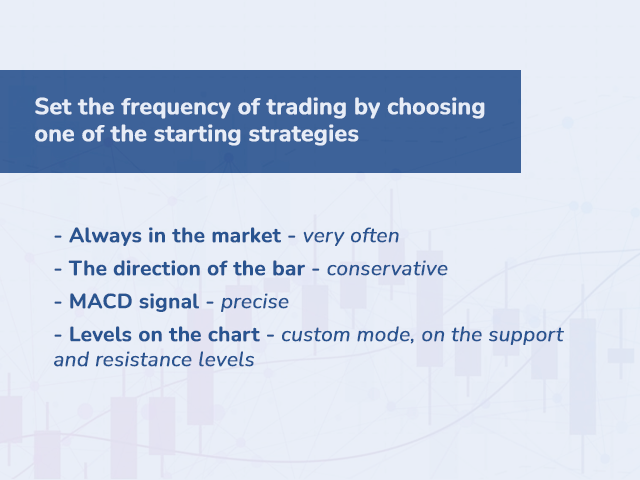
After you have set the trading direction, you should decide on the principle, by which the initial orders will be opened, and it is set by the Grid start strategy parameter:
- Always in the market - the mode when you will always be in the market. The Grid Hlevel will open new grids of orders as soon as the previous ones have been closed.
- The direction of the bar - the mode, in which the grid starts only if the previous candle coincides with the trading direction, which was set earlier. And the parameter Timeframe sets the period of the candle, which should be considered by Expert Advisor when making a decision.
- MACD signal - the mode used by the MACD indicator to receive a signal to open. It takes into account the signals of the MACD indicator, which coincide with the trading direction, which was set earlier.
- Levels on the chart - the mode in which trades are opened when the price touches the support or resistance level that you set earlier. The opening occurs on a rebound of the price from the level, taking into account the direction of trade, which was set before.
Additional parameters.
Apart from the basic parameters, the Grid Hlevel Expert Advisor has additional parameters, which help to create a correct grid of orders:
- Minimum distance between grid orders - this parameter controls the minimum distance between the averaging orders, in order to avoid opening trades very often, if levels are suddenly set close to each other.
- Maximum number of grid orders - sets the maximum number of grid orders to prevent the Expert Advisor from opening many orders and showing a large drawdown.
- Do not open a grid order on one candle - a very useful filter, which does not allow the Grid Hlevel to open many orders at a sharp price movement. If you set it in the position "true", then the Expert Advisor will open only one order on one candle.
IMPORTANT!!! When downloading and testing the advisor in the strategy tester, please check the "Visualization" box and add the horizontal support and resistance levels to the chart during the testing process.
The "correct" trading using the averaging grid will give you the opportunity to get a stable profit from trading, and the Grid Hlevel Expert Advisor will help to do this automatically and will free up your time.
I'm , subscribe to my updates!