Dagangduit Candle Timer MT5
$0
Type: Indicators
Seller: Agus Pujanto
Published: 22 September 2023
Updated: 2 July 2024
Version: 1.1
Downloads: 900





Introduction to the Candle Time Indicator
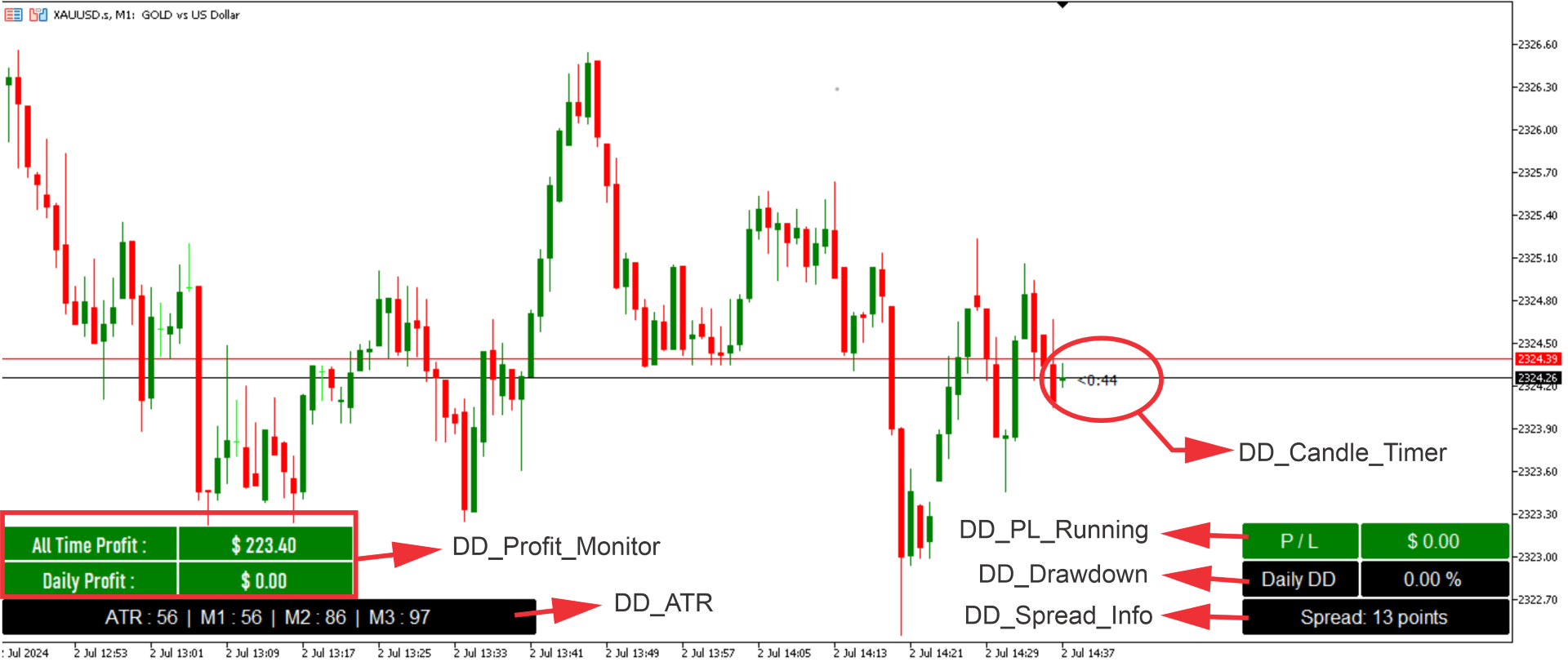
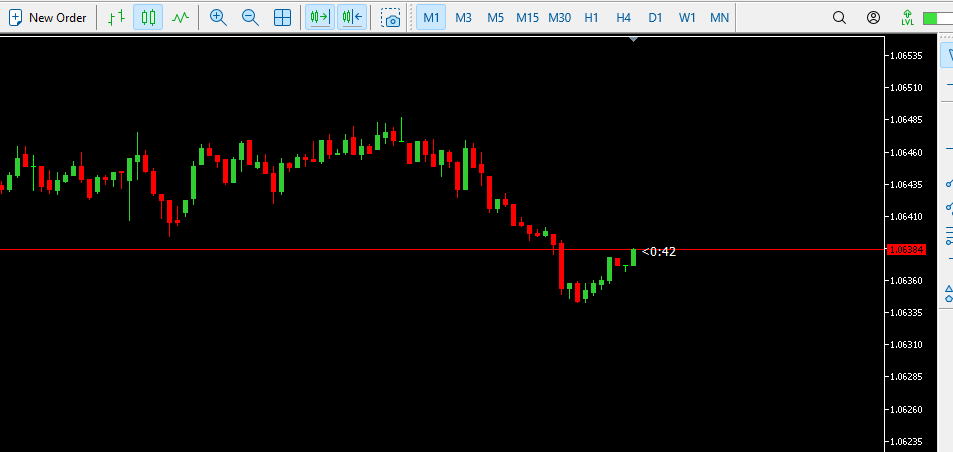
The Candle Time Indicator for MetaTrader 5 (MT5), helps users know how much time on a candlestick is remaining. This is a simple but incredibly powerful and useful tool. To download the Dagangduit CandleTimer.ex5 indicator, check the bottom of this post. It’s one of the best forex time indicators in its category.
The function of the indicator will not change, even if you change the name of the indicator. The candlestick countdown timer will tell you how much time is left on the candlestick until the next candle is formed. It will be broken in minutes and seconds. It works with all time frames.
You can also find the Candle Time indicator under the following names:
- candle timer
- bar timer
- candlestick clock
- bar clock
- time indicator
- candle countdown
- candle time remaining
It fits all kinds of timeframes and currency pairs.
The default settings can be modified directly from the input tab. Feel free to experiment with the settings and parameters to fit your personal preferences.
How to trade with the Candle Time Countdown MT5 indicator?
The Candle Time indicator itself does not generate buying or selling trading signals on its own, but it displays the remaining time on a current candlestick. It might be a great addition to your favorite best-proven trading system or can be used in organizing your trading schedule. Whether you are scalping or trend trading, having an eye on candle timing is a wise thing to do.
It means there are 6 minutes and 49 seconds left of the most recent M15 candle on the EURUSD chart.
To sum it up, we think that knowing information like candle time left and current spread are crucial in trading.
Overview of the Candle Time Indicator settings:
Overview of Candle Time Indicator settings.- TextColor: set the color of the countdown clock;
- FontSize: set the size of the font;
- FontName: set the font you want to use;
- DisplayTimeByTheBar: when it is set to true time, it will be shown next to the active candle;
- DisplayTimeComment: when it is set to true, it will show a comment on the TOP LEFT part of the chart like: (9 minutes 16 seconds left to bar end);
- TextUsuallyAbovePriceLine: when it is set to true, candle end time will be displayed above the Price line. If set to false it will be displayed below price line;
- SpreadFactor: specify how far away (up or down) from the Price line will the candle end time be displayed. Bigger the number further away the price will be.
How to set up the Candle Time indicator in MT5?
Installation Guide
Copy and paste the Dagangduit CandleTimer.ex5 or Dagangduit Candle Timer.mq5 indicator files into the MQL5 folder of the Metatrader 5 trading platform.
You can gain access to this folder by clicking the top menu options, that goes as follows:
File > Open Data Folder > MQL5 > Indicators (paste here).
Now go to the left side of your MT5 terminal. In the Navigator find the gauge name, right-click it and select Attach to the chart.